 Español
 বাংলা
 Bahasa Melayu
 Français
TopX App: Choose APK, iPhone Shortcut or Browser
TopX app access depends on your device. By the operator's data, Android uses an APK downloaded from its site after registration; iPhone uses a Home Screen shortcut added in Safari. Neither option comes from Google Play or the App Store. You can also use the browser, including on Windows and macOS.
- Choose Android for an APK from the operator's site after registration.
- On iPhone, use Safari to add a web app to your Home Screen.
- Prefer to skip installation?
- Open the website in your browser; this is also the route for Windows and macOS.
TopX app at a glance
The operator lists different installation routes for Android and iPhone. The language choices below refer to the website.
| Detail | Operator's information |
|---|---|
| Android | APK from the TopX site |
| APK size and version | About 53 MB; v1.0, August 2026; about 63 MB installed |
| iPhone | PWA added through Safari |
| Windows and macOS | Browser access |
| Google Play / App Store | Not listed, by the operator's data |
| Download option | Appears after registration |
| Account | Use the same account; one per person |
| Website languages | English and Hindi available |
| Account currency in India | INR (₹), chosen at registration |
Choose INR when completing registration; the account currency cannot be changed afterwards.
APK, shortcut or browser
Android lets you choose between an installed APK and the mobile website. If you use an iPhone, the installed option is a Safari web app; a computer uses the browser.
For a phone icon, follow the Android installation steps or the iPhone shortcut steps. If you choose browser access, there is no installer to download.
Compare the installation options
A file download belongs to the Android route. Safari creates the iPhone icon directly from the website, while browser access skips both installation processes.
| Device | Installed option | Alternative |
|---|---|---|
| Android phone | APK from the operator after registration | Mobile website in a browser |
| iPhone | Home Screen web app through Safari | Website in a browser |
| Windows / macOS | No separate app | Website in a browser |
Returning players use their existing login on the chosen device. Downloading the Android file is a separate step from creating the account.
Get the file from the right place
The operator's Android download is on its own site after registration. An APK obtained elsewhere is not the operator's installer; the iPhone route starts in Safari instead of a file catalogue.
Allowed
- ✓Use the Android APK option on the TopX site
- ✓Create the iPhone shortcut in Safari
Not allowed
- ✕Treating another site's APK as the operator's installer
- ✕Looking for the operator's app in either app store
Watch out
- !The download option appears after registration
- !Account access uses a password; no 2FA
Source and sign-in mistakes
- 1
An APK for an iPhone
The APK is the Android route. For iPhone, add the website to your Home Screen through Safari. - 2
Confusing registration with a download
Creating the account comes first. Use the installation option on the operator's site afterwards.
By the operator's data, sign-in relies on your password rather than two-factor authentication. Use a unique password for this account; the login instructions also cover password recovery.
Android APK: from account to installation
Registration comes before the Android download in the operator's instructions. If you already have an account, sign in to reach the installation option rather than starting the registration form again.
- 1
Open the mobile website
Open TopX in your phone's browser. Use Registration if you need an account, or Log In if you already have one. - 2
Find the install option
After registration, the operator describes an installation option at the top of the website. - 3
Download the APK
Tap the site's installation option and download the Android file to your phone. - 4
Open and confirm
Open the downloaded APK and confirm installation. Android may ask you to allow installation from unknown sources.
Before you start
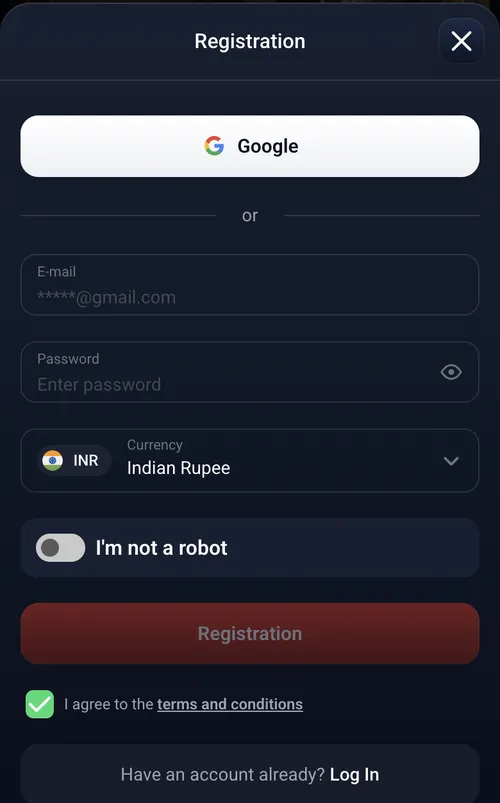
The mobile header has separate Log In and Registration buttons. A returning player can go straight to sign-in; a new player chooses an account currency during registration. For India, select INR before completing the form. Registration offers Google or e-mail with a password. The e-mail form includes a currency selector and agreement to the terms and conditions; it does not include a promo-code field.
Install the downloaded file
Opening the APK starts the installation step described by the operator. The permission prompt, if Android displays it, concerns installing the downloaded file. The registration instructions explain the account form that comes before this step.

TopX on iPhone through Safari
Safari adds a web app icon to your iPhone Home Screen. It opens TopX in full screen without browser controls, so this route uses the website rather than an App Store download.
| Action | What to do |
|---|---|
| Open Safari | Visit the TopX website in Safari on your iPhone. |
| Share | Tap Safari's Share control. |
| Add to Home Screen | Select this option from the Share menu. |
| Add | Confirm to place the TopX icon on your Home Screen. |
Safari is the browser specified for this installation method. If you opened the site in another browser, switch to Safari before using Share. To continue without a Home Screen icon, keep using the browser and return through the usual sign-in options.
If the app will not install
A missing Android download option can mean the registration step is still outstanding. On iPhone, the installation route depends on Safari; on a computer, there is no separate app to install.
No Android install option
Register and sign in first. The operator describes the installation option as appearing after registration.iPhone shortcut is missing
Open the site in Safari, then use Share and Add to Home Screen.Windows or macOS
Use the website in a browser. There is no separate computer app.Android blocks installation
The operator's steps may require permission to install from unknown sources before the APK can be installed.Another installation problem
Contact the operator through its 24/7 support chat or write to support@topx.one.
The support contacts give you a route to the operator when the device instructions do not resolve the problem. For a forgotten password, use account recovery from Log In rather than opening a new registration.
Sign in and play
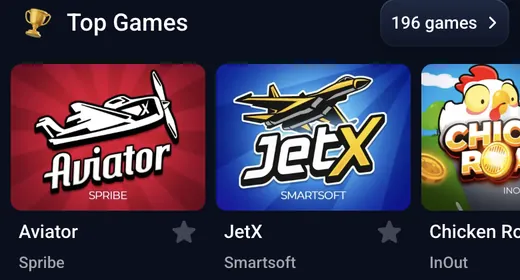
Use the same account when moving between the website and the app. By the operator's data, TopX lists 12,500+ games, with the mix depending on the country; many games offer a demo without signing in, though not every game does.
Sign-in options
Return using Google, e-mail or your phone number through the login options.Game catalogue
Browse the game catalogue and its categories before choosing a game.Welcome package
The welcome bonus explains the package and when the bonuses activate.Rupee payments
The payment methods cover the INR cashier and available payment routes.
By the operator's data, Wallet is the account control for payments. The rupee cashier offers PhonePe, PayTM and UPI P2P for deposits, with IMPS for withdrawals. These are the website's payment options; the device comparison above describes how to access TopX.
₹1,500 for signing up + up to 500% on your first four deposits; the bonuses switch on after the first deposit. The terms are on the bonus card; by the rules the wagering of any bonus starts at ×25.
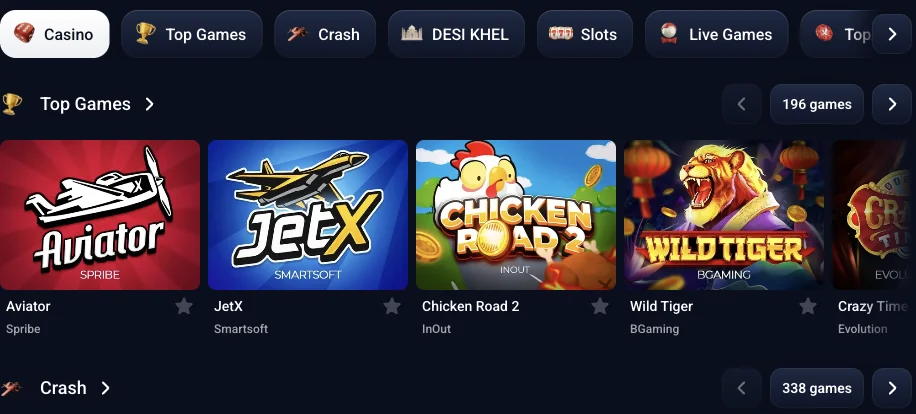
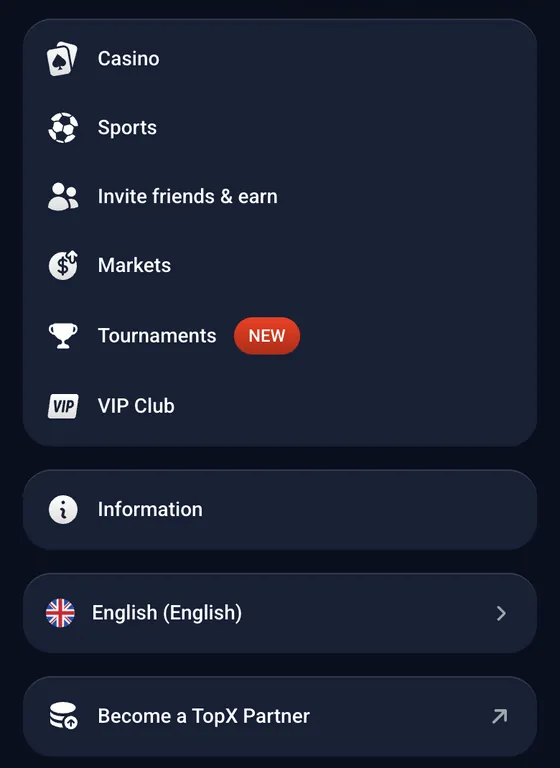
The mobile website menu also lists Sports and Markets. The language selector sits at the bottom of the website’s side menu. English and Hindi are website language choices; the games page covers the TopX catalogue.
To open TopX, Play now.
Terms to know
18+ only. TopX permits one account per person, family, address, IP and device; account sharing is prohibited. The first KYC stage is required before any withdrawal, and each deposit must be wagered ×3 before withdrawal.
Allowed
- ✓Use your existing account across access methods
- ✓Withdraw after the required identity checks
Not allowed
- ✕Creating a second account
- ✕Sharing or transferring your account
Watch out
- !Payment-method and account-level limits both apply
- !The strictest applicable limit controls the request
Withdrawal rules
- 1
Expecting an immediate withdrawal
The rules allow up to 72 hours for requests up to 1,000 EUR or equivalent, and up to 7 days for larger requests. - 2
Mixing fiat and crypto routes
A crypto deposit cannot be withdrawn in fiat, and a fiat deposit cannot be withdrawn in crypto.
The rules cap withdrawals at 15,000 USD per day and set a minimum deposit and withdrawal of 10 EUR or equivalent. The operator charges no withdrawal fee. The withdrawal rules explain how these limits apply alongside the payment method and account level.
App terminology
- APK
- An Android application package: the file you open to install the Android app.
- PWA
- Progressive web app: the iPhone option added from Safari to the Home Screen, opening in full screen.
- KYC
- Know Your Customer: the identity checks required before withdrawing money.
Sources
Where the facts on this page come from
- TopX websiteMobile website and navigation
- TopX terms and conditionsAccount and withdrawal rules
- TopX user agreementDeposit wagering
- TopX AML/KYC policyChecks before withdrawal
Frequently asked questions
Yes. The operator describes an Android APK from its own site and an iPhone web app added through Safari. A browser is also an option on either phone.
No. By the operator's data, neither store lists it. Android downloads come from the TopX site once you have registered.
About 53 MB for the Android file, according to the operator's data; it occupies about 63 MB after installation. The dated version details are in the app facts table.
Open the TopX site in Safari. Tap Share, choose Add to Home Screen, then tap Add. The resulting icon opens the web app in full screen.
No. The operator's installation option appears after registration. Complete registration and sign in before looking for it.
No. Windows and macOS use the website in a browser; the Android installer is for Android devices.
No. Use your existing account. The rules allow one account per person, so switching devices is not a reason to register again. The sign-in options explain how to return to your account.
- First version of the page.
About this site and the operator
This site is informational: it is not TopX or its official page, and it takes no deposits or bets.
TopX's terms do not state a licence number or regulator. The contracting party named in the terms is Topx Limited (Topxgo).
18+ only. Gambling can be addictive – read the safer-gambling page.
 Welcome offer